¶ View manual reviews
If you click on "Manual reviews" in the left menu bar, you will see an overview of all manual reviews. At the top right you can use the search field to search in all columns of the table.
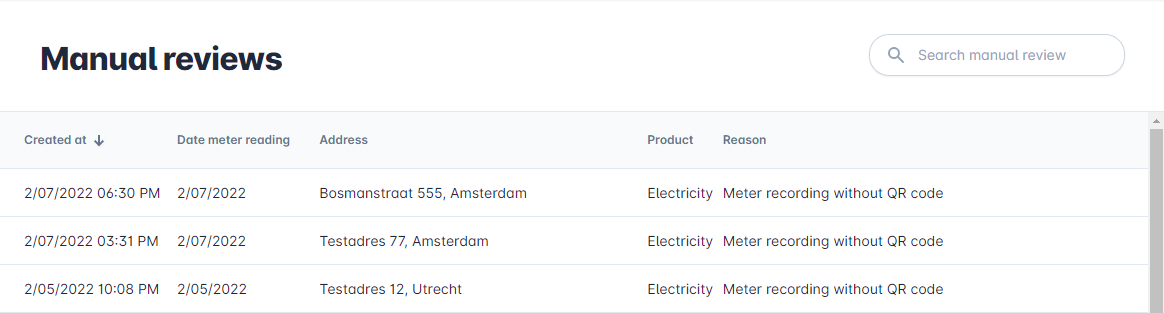
At the bottom of the page you can see the pagination, the total number of manual reviews and you can set the number of rows per page.

¶ Perform a manual review
When you click on a manual review, the form below will open.
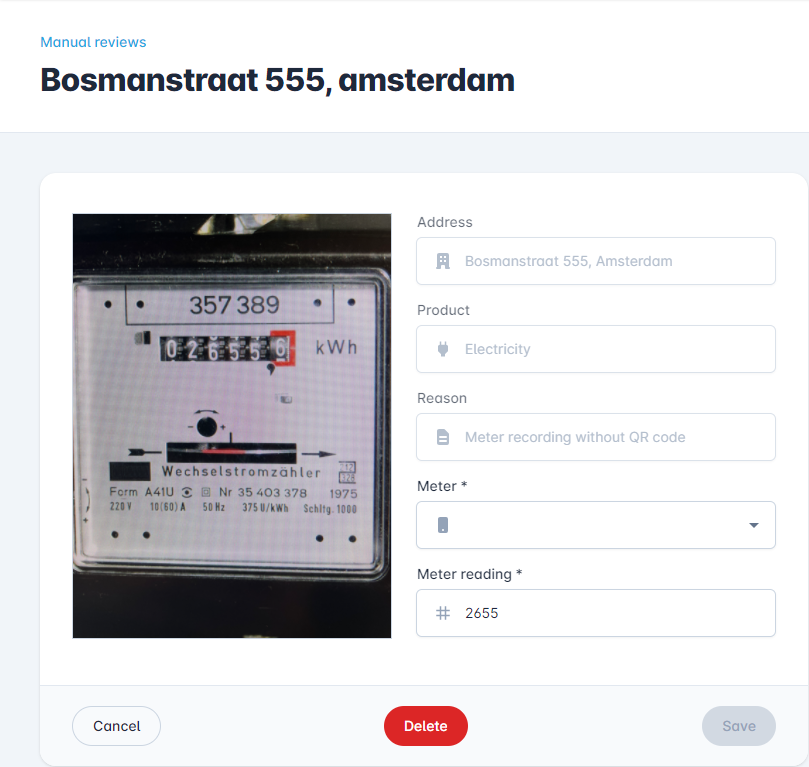
Here you can see the photo of the meter reading if it is attached. The "Reason" field indicates why this meter reading is marked for manual review. If the "Meter" field is empty, you must select the correct meter here. Then check the meter reading with the photo. If everything is correct, click on "Save".